
FIX IT, SPEED IT UP, UPGRADE IT
PC Repair in San Diego
Slow, crashing or infected PCs fixed, upgraded and tuned up, with your files kept safe.
$120 first hour · $100 each additional hour
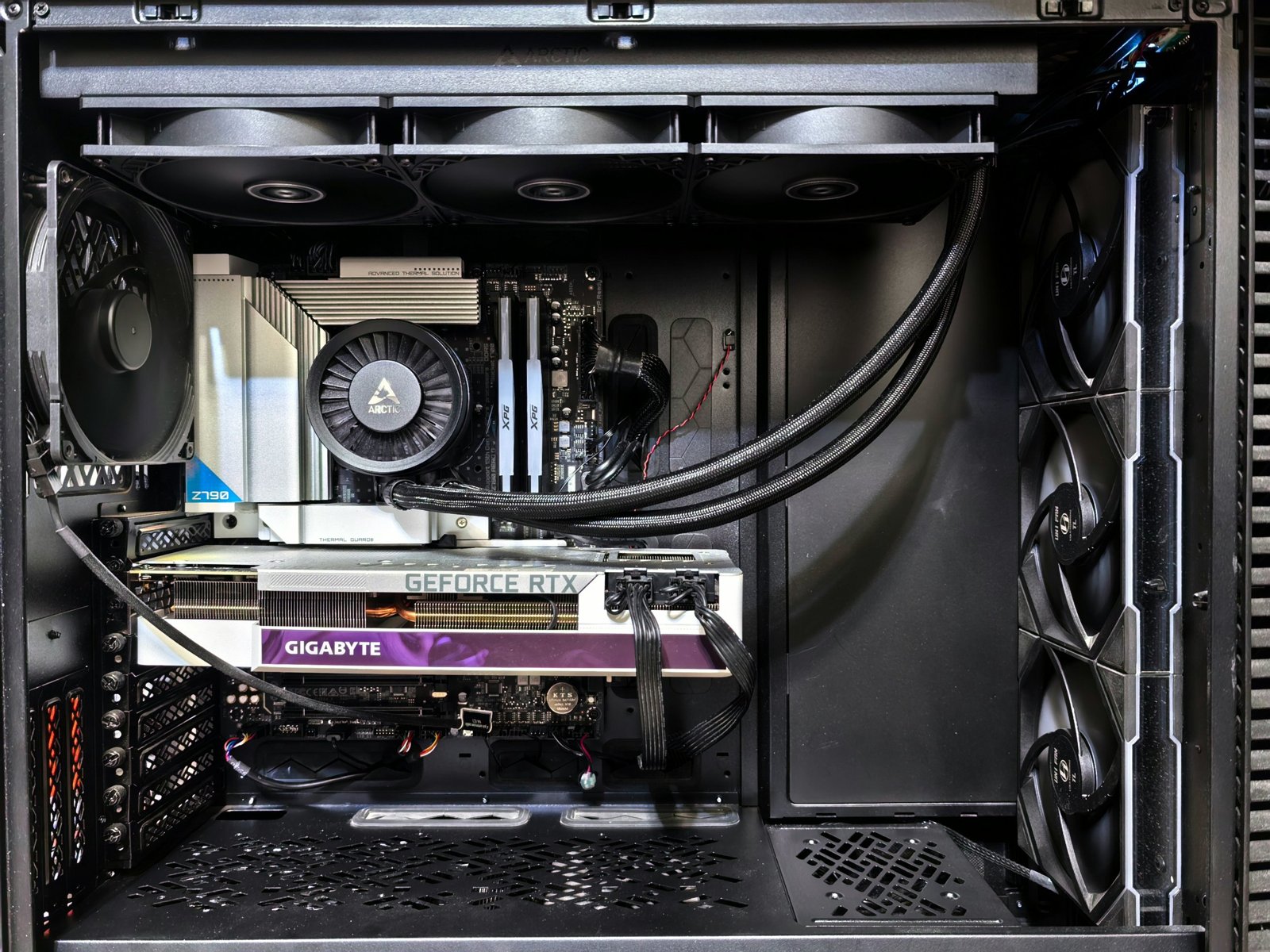
PC repair services
- Diagnosis of hardware and software problems
- Virus and malware removal
- Hardware upgrades: SSDs, memory and graphics cards
- Windows reinstall and tune-up
- Data backup and transfer to a new PC
- New PC and printer set up
We come to you. If a repair will take a long time, we can pick up your computer to save you the on-site hourly cost.
Frequently asked questions about PC repair
The questions San Diego customers search for most, answered in detail. Still not sure? Call (858) 224-3140.
My PC runs Windows 10. What now?
Microsoft ended free security updates for Windows 10 on October 14, 2025. If the PC meets Windows 11 requirements you can upgrade. If it does not, options include replacing it or switching to a lighter system such as ChromeOS Flex or Linux for basic use. Staying on an unsupported Windows 10 for years is a security risk.
Is it worth repairing a 7-year-old computer?
Sometimes. HP says under 5 years is usually worth upgrading, 5 to 7 years depends on the repair, and over 7 years replacement is often smarter. The best-value fix is swapping a spinning hard drive for an SSD, which makes an old machine feel much faster. Failing motherboards or repeated overheating tip it toward replacing.
How much does computer repair cost?
Visolution charges $120 for the first hour and $100 for each additional hour. Many problems, such as slow performance, virus removal or a software fix, can be solved within a couple of hours. We tell you what we find, and what it will cost, before we go further.
Is it worth repairing an old laptop?
Often yes for software issues, slow performance, or a failing drive. If repairs approach the price of a new machine, replacing it may make sense.
Why is my computer so slow?
Common causes are a nearly full drive, too many startup programs, malware, an aging hard drive, low memory or overheating. A tune-up, removing unwanted software and upgrading to an SSD often make an old computer feel new again. We diagnose it and explain the fix.
How do I remove a virus from my computer?
Disconnect from the internet, run a reputable security scan, remove suspicious programs and update Windows. If the problem keeps coming back, or your files are locked, stop and get help. We clean infected PCs, check your accounts and help you protect them.
Can you recover data from a failed hard drive?
Often, but it depends on the damage. If the drive is clicking or the computer cannot see it, stop using it right away, because more use can make recovery harder.
Do you do Windows repair?
Yes. Our master tech has 33 years of Windows experience, so we handle startup problems, update errors, drivers, blue screens, slowdowns and clean reinstalls.
Can you upgrade my computer?
Yes. Common upgrades include adding RAM, replacing a hard drive with an SSD and swapping a graphics card. Not every laptop can be upgraded, so we check the model first and tell you what is worth doing.
Why won't my computer turn on?
It could be a dead power supply or battery, a loose connection, a failed motherboard or memory. We test the power, the cables and the components in order to find the cause. Then we tell you the repair cost, so you can decide.
How long does a computer repair take?
Simple problems like virus removal or a tune-up are often done the same day. Repairs that need parts, data recovery or a full Windows reinstall can take longer. We give you an estimate when we know what is wrong.
Can you fix a laptop screen?
Often, yes. A cracked laptop screen can usually be replaced, but cost depends on the model and the part. We check the price of the screen against the value of the laptop, and tell you if it is worth repairing.
How do I speed up Windows 11?
Limit startup apps, free up storage space, update Windows and drivers, and scan for malware. An SSD and more memory help most on older machines.
What is a clean install of Windows?
A clean install erases the drive and installs Windows fresh, which removes stubborn problems and malware. We back up your files first and reinstall your programs afterward, so that your computer starts clean without losing your data.
Do you do business computer support?
Yes. We help small businesses with PCs, networks and software problems. Our master tech is also obsessed with business AI automation, so we can look at the bigger picture of how your computers support your work.
Can you set up a new computer?
Yes. We unpack and set up the computer, transfer your files, install your programs, and make sure everything works.
How do I transfer files to a new computer?
You can copy files to an external drive or a cloud service and then move them to the new computer. Programs need to be reinstalled. We can transfer files, settings and browser data for you, and make sure nothing is missed.
What is the blue screen of death?
A blue screen is Windows stopping to protect itself from a serious error, often caused by drivers, failing memory, hardware problems or bad updates. The error code points to the cause. We read the code and fix the problem.
Why is my laptop overheating?
Dust blocking the fans and vents, dried-out thermal paste, a failing fan or heavy workloads are common reasons. Overheating shortens the life of your laptop and slows it down. A cleaning and a check of the cooling often fixes it.
Can you remove pop-ups and adware?
Yes. Pop-ups and adware usually come from unwanted programs or browser extensions. We remove them, reset the browser and check for deeper infections, then show you how to avoid them.
Should I back up my computer?
Yes. Back up your files to an external drive and a cloud service, so that a failed drive, a virus or a stolen laptop does not mean losing everything. We can set up automatic backups for you.
Do you come to my home or office?
Yes. We come out to your home or office. If a repair will take a long time, we can pick up your computer and work on it at our shop, which saves you the on-site hourly cost.
How do I know if my hard drive is failing?
Warning signs include clicking or grinding noises, very slow performance, freezing, errors when saving files and files that disappear.
Is an SSD better than a hard drive?
Yes, SSDs are much faster than traditional hard drives, so boot times, app loads and file copies all improve. Replacing a hard drive with an SSD is one of the best upgrades for an older computer.
Can you help with printer problems?
Printer problems are often driver, network or connection issues, and we can usually help with setup and troubleshooting.
Can you fix a computer that won't boot?
Often yes. We check the drive, memory and boot files, and can usually repair or reinstall Windows. If the drive has failed, we try to recover your files first. We explain the options and cost before we proceed.
What is your experience?
Our master tech has 33 years of Windows experience and is obsessed with business AI automation. That means we can fix your PC and, if you run a business, also look at how to automate repetitive work.
Get a free quote
★ 4.9 on Yelp from 188 reviews · Mon–Sat 9am–5pm